Viewing your service
Viewing Your Service
For a detailed view of your services, please follow the steps listed below:
Step 1: Access Service Options
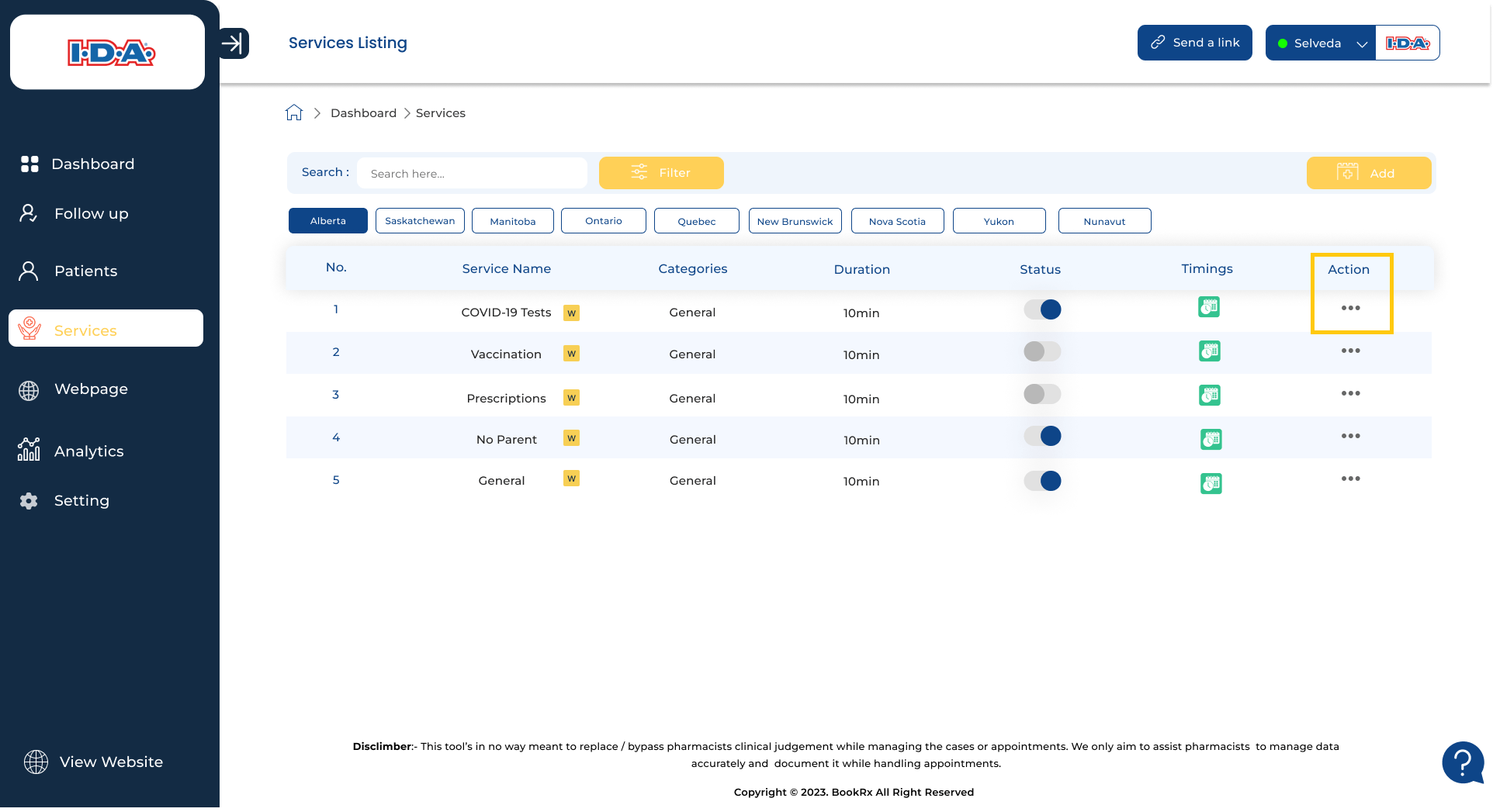
Click on the three dots in the action column.
Step 2: Choose "View Details"
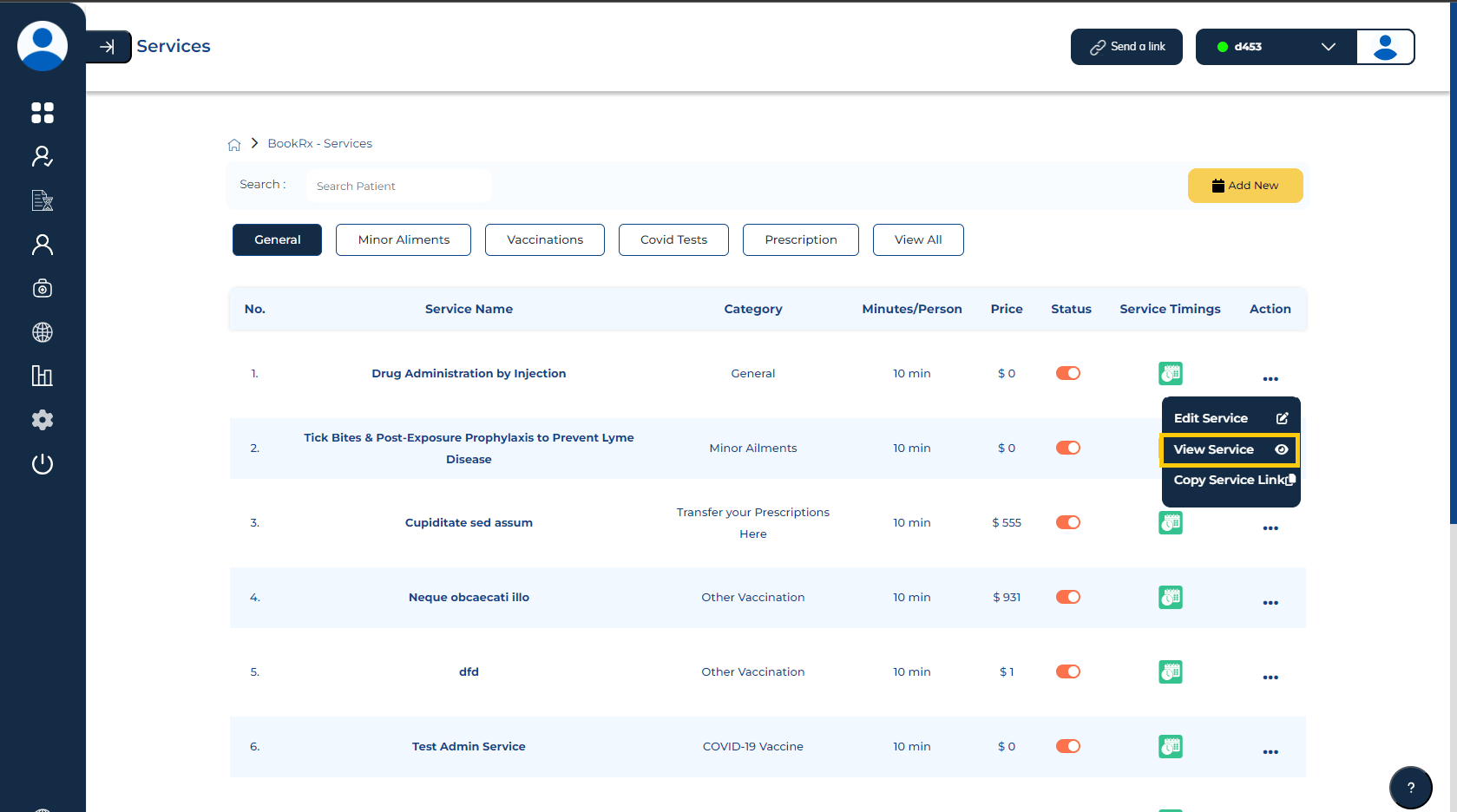
Select the "View Details" button to access a more comprehensive view of your services.
By following these steps, you can conveniently access and view your services in great detail, ensuring a comprehensive understanding and effective management of your services through the Book Rx platform.